Diga Agent

A cowork agent. On your desktop.

It does the long-running work, and shows you every step.

Diga Agent
Live
Diga Agent
Just believe in the light — I'll solve you
Diga Agent Mobile
https://diga.ai.com · syncing…
1 pending idle
Diga Agent Mobile
Task inbox
1 item to handle
Mobile login failure rate spiked

Multiple failed-login reports came in over the last hour. Confirm whether to escalate.

Sync current progress
Summarize current task state, what's done, what's blocked, and what needs my decision now.
Plan a change
Locate impacted files and risk points first, then propose a minimal plan. Don't touch code yet.
What makes Diga different

A workbench for agent work that actually runs.

Diga turns long, branching work into visible plans, controllable tasks, and reviewable outputs across desktop and mobile.

01

Dynamic workflows with subagents

Diga plans while it works: it breaks a complex request into Plan, Task, and Tool steps, assigns specialized subagents, then merges the results back into one coherent run.

  • Adaptive workflow paths instead of a fixed checklist.
  • Subagents run in parallel for research, coding, and validation.
  • Every step stays visible and reviewable.
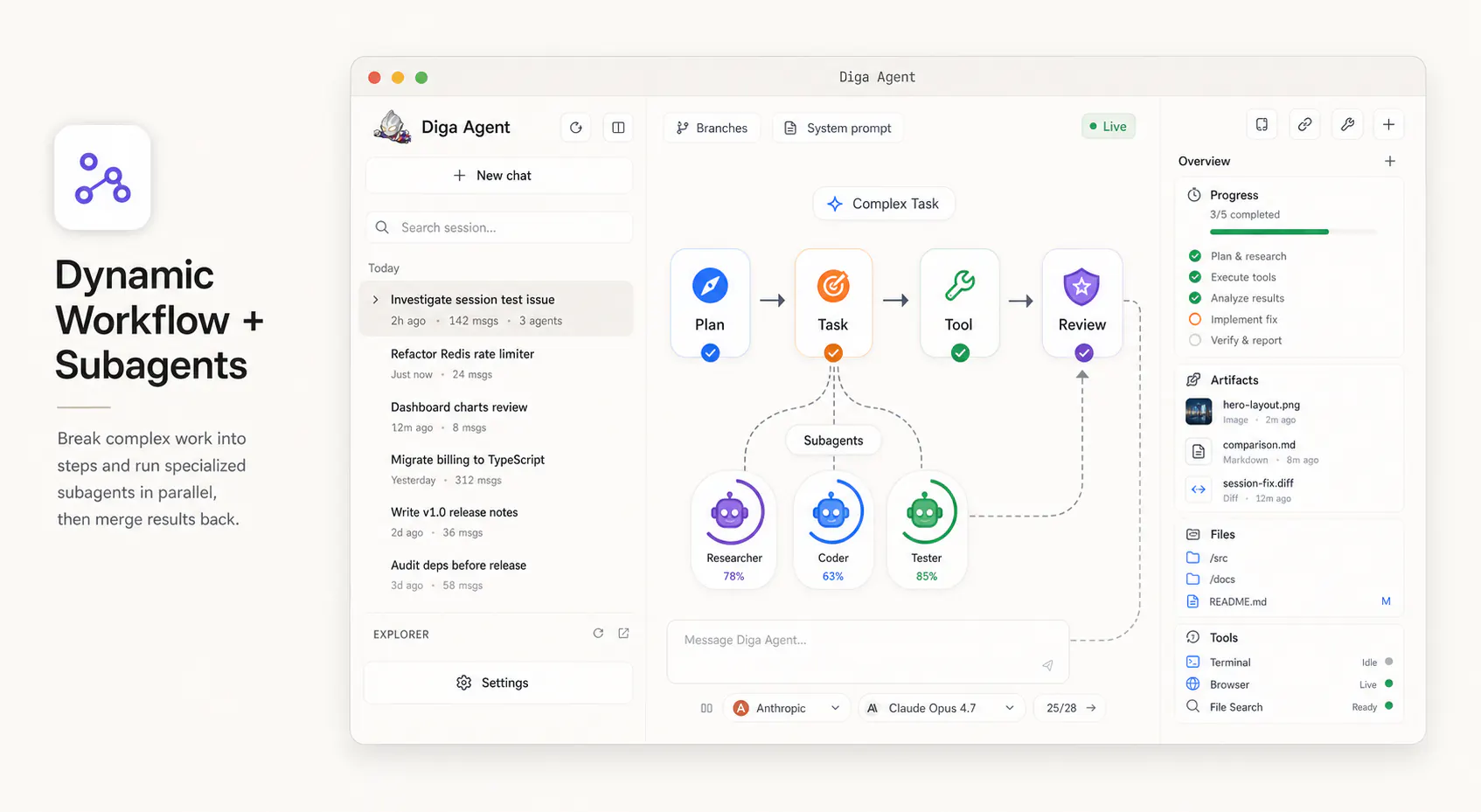
Dynamic workflow and subagents concept
02

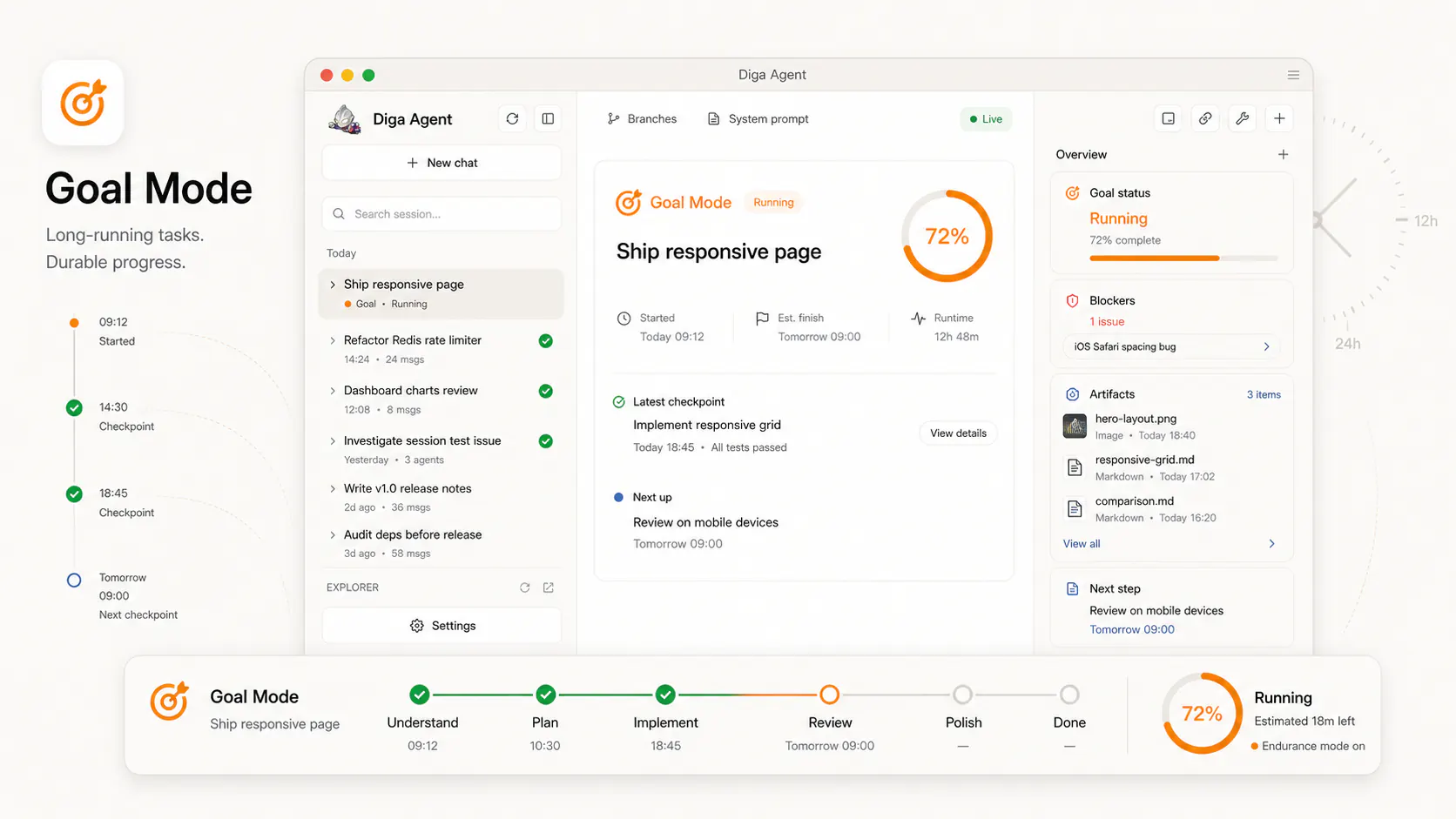
Goal Mode for long-running work

Give Diga an outcome and let it keep momentum over time. Goal Mode tracks checkpoints, blockers, artifacts, and next steps until the work is actually shipped.

  • Durable progress across long sessions.
  • Checkpoints make unfinished work easy to resume.
  • Reports and artifacts stay attached to the goal.
Goal Mode long-running task concept
03

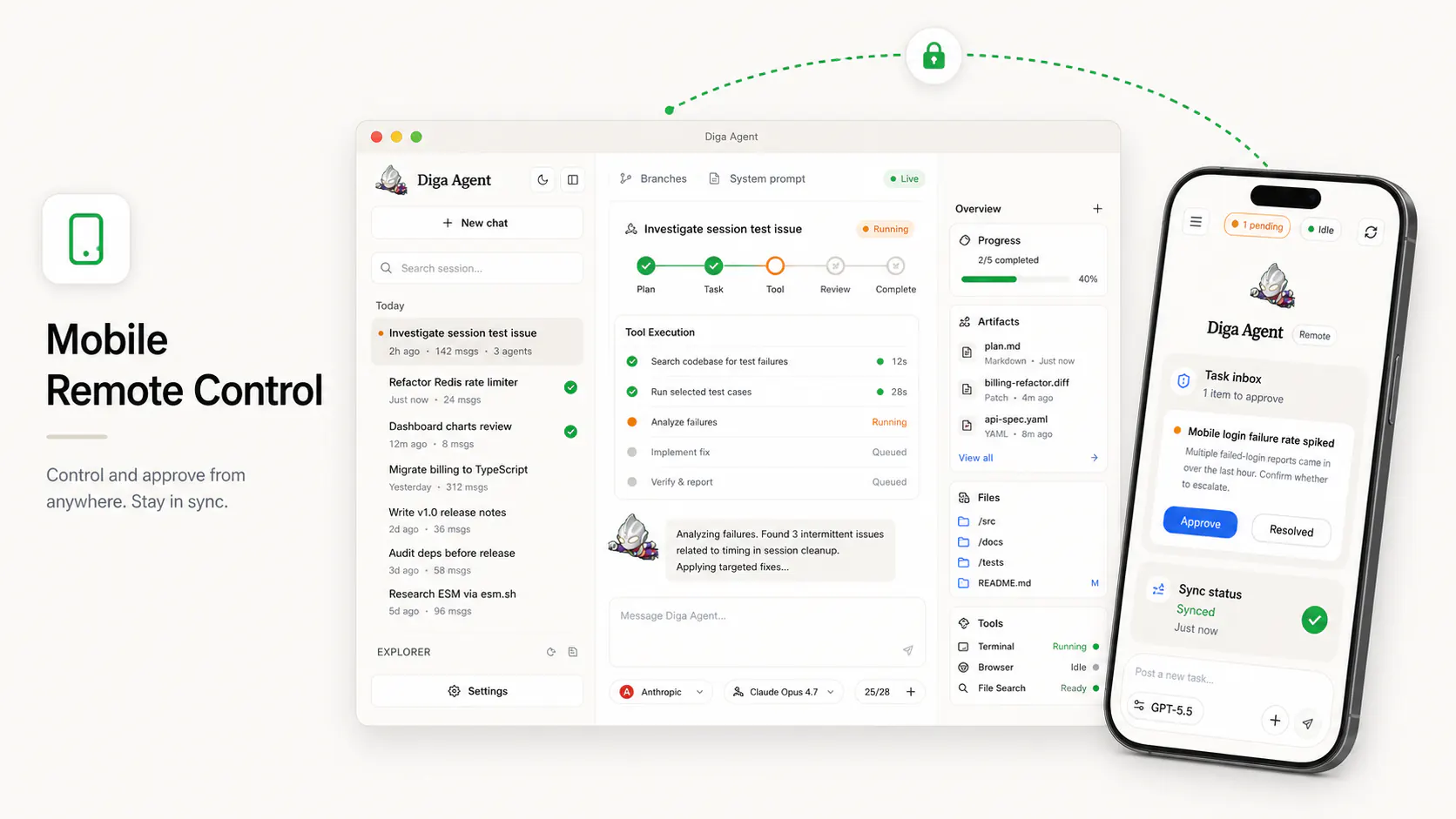
Remote control from your phone

When Diga needs confirmation, you do not have to be at your desk. Pair a mobile device, review pending items, approve actions, and keep the desktop agent moving.

  • Public-network remote access for active sessions.
  • Approve, resolve, and inspect from mobile.
  • Sync state keeps desktop and phone aligned.
Mobile remote control concept
04

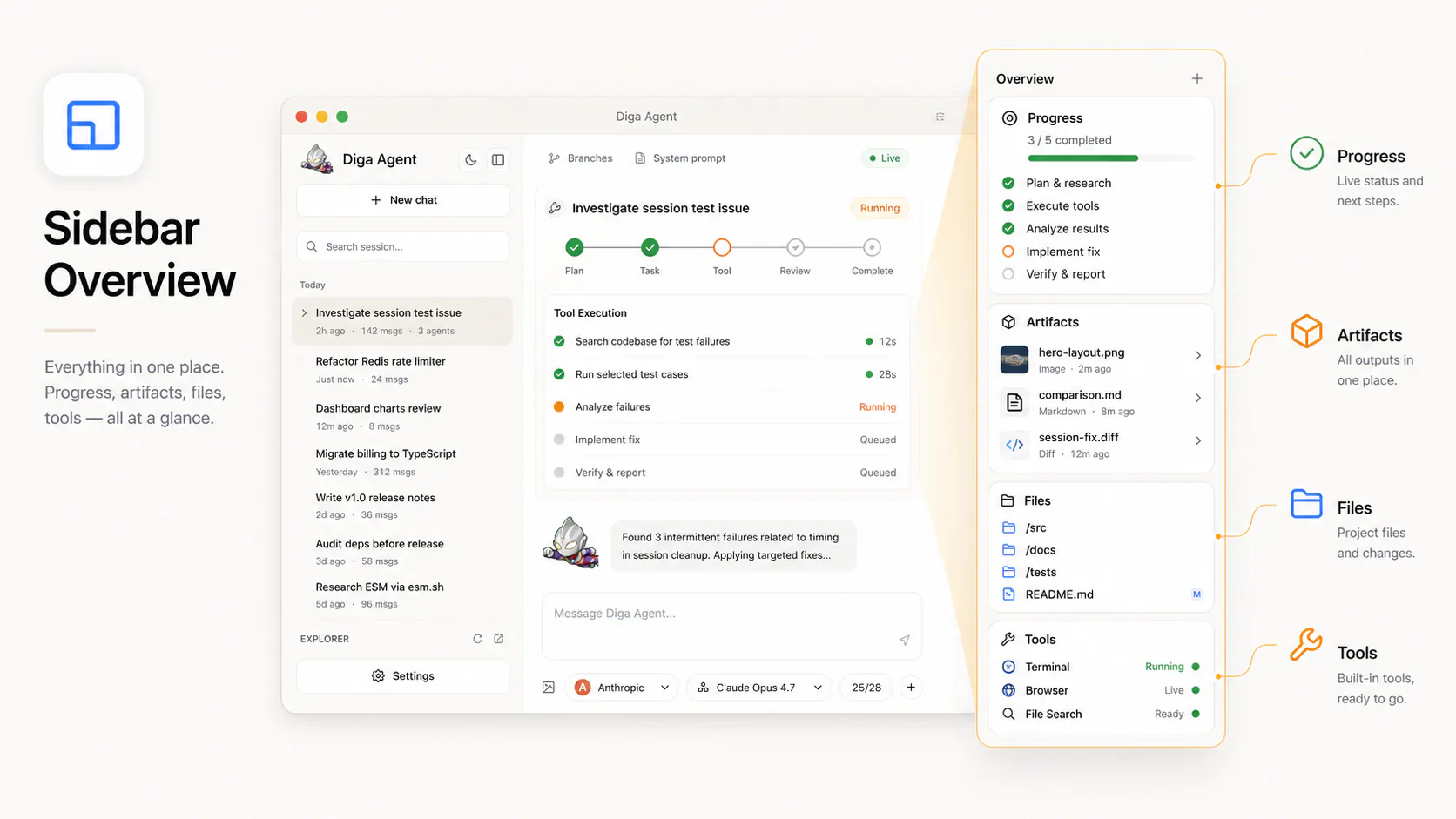
Sidebar overview as the task cockpit

Progress, artifacts, files, and tools live in one place. The sidebar gives you a compact command center for understanding what happened and what needs attention.

  • Progress and blockers stay visible.
  • Artifacts, diffs, and reports are ready to open.
  • Files and tools are organized around the task.
Sidebar overview concept
05

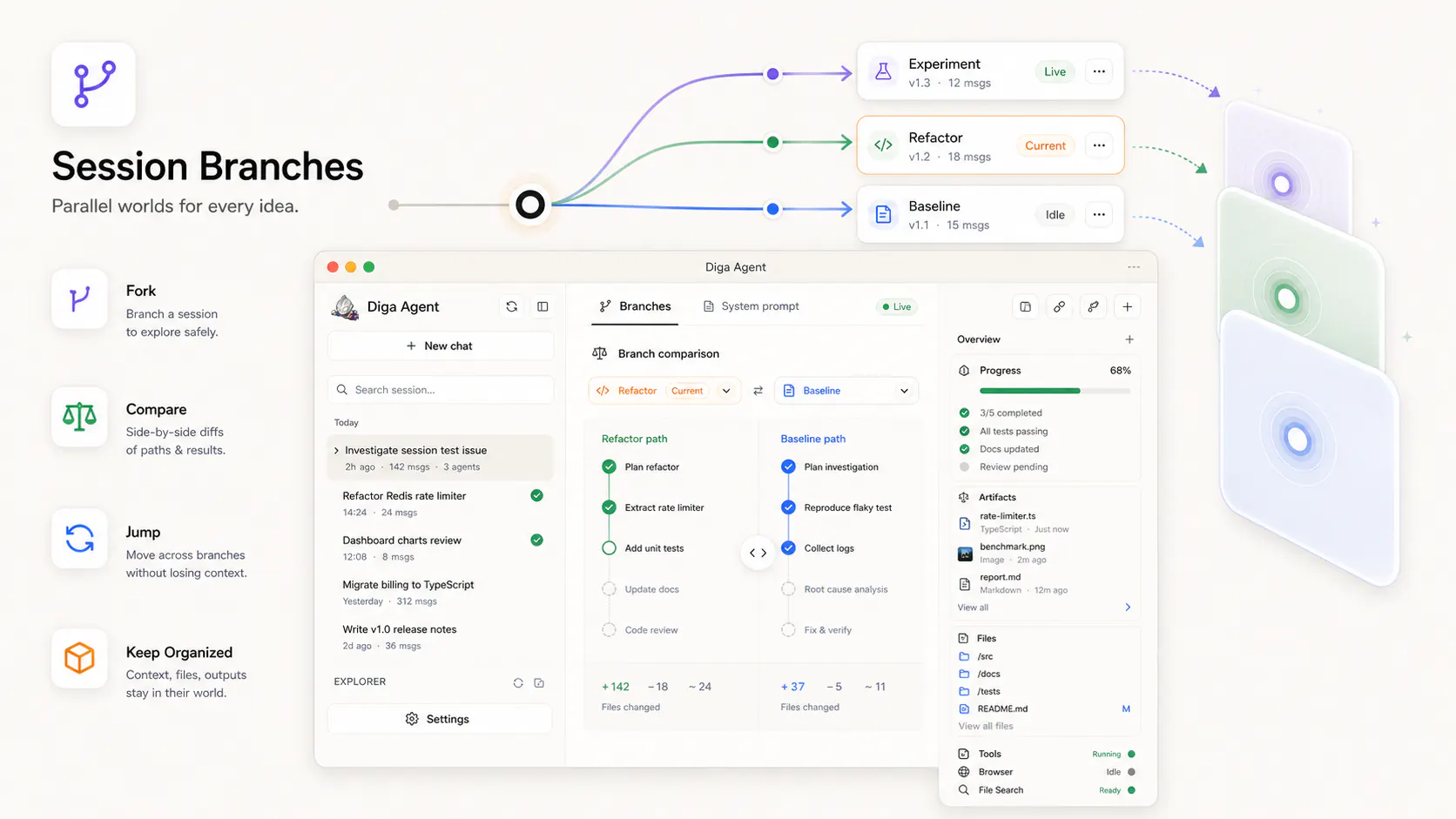
Session branches for parallel worlds

Fork a session, explore another path, compare outcomes, and jump between alternatives without losing context. Branches turn conversation history into a workspace you can navigate.

  • Try multiple approaches safely.
  • Compare branches before committing to a direction.
  • Keep files, outputs, and context inside each world.
Session branches concept

Download Diga Agent

See all downloads

Looking for Linux or Windows? Join the waitlist

Latest updates

May 20, 2025 0.1.2
Initial release
Local-first agent workbench. Chat, workflows, approvals, and more.
May 13, 2025 0.1.1
Workflow timeline & mobile companion
Track execution in real time. Companion app for iOS.
May 6, 2025 0.1.0
MCP tools & extensibility
Add MCP servers, custom tools, and scripts to extend Diga Agent.
View full changelog